Nintendo Switch parental controls, right on the console
No phone app, no Nintendo account, no internet.
PlayGuard brings the settings of Nintendo's Parental Controls phone app onto a modded console. It drives the console's own controls — the limit, the PIN, the warnings, the suspension — so nothing runs in the background.
Everything the phone app does, on the console
Play-time limit
The same every day or one per day, profiles, extra time or no more play today in one press, “Block all games” in one switch.
Restrictions and PIN
Restriction level, age rating, PIN, temporary unlock.
Console
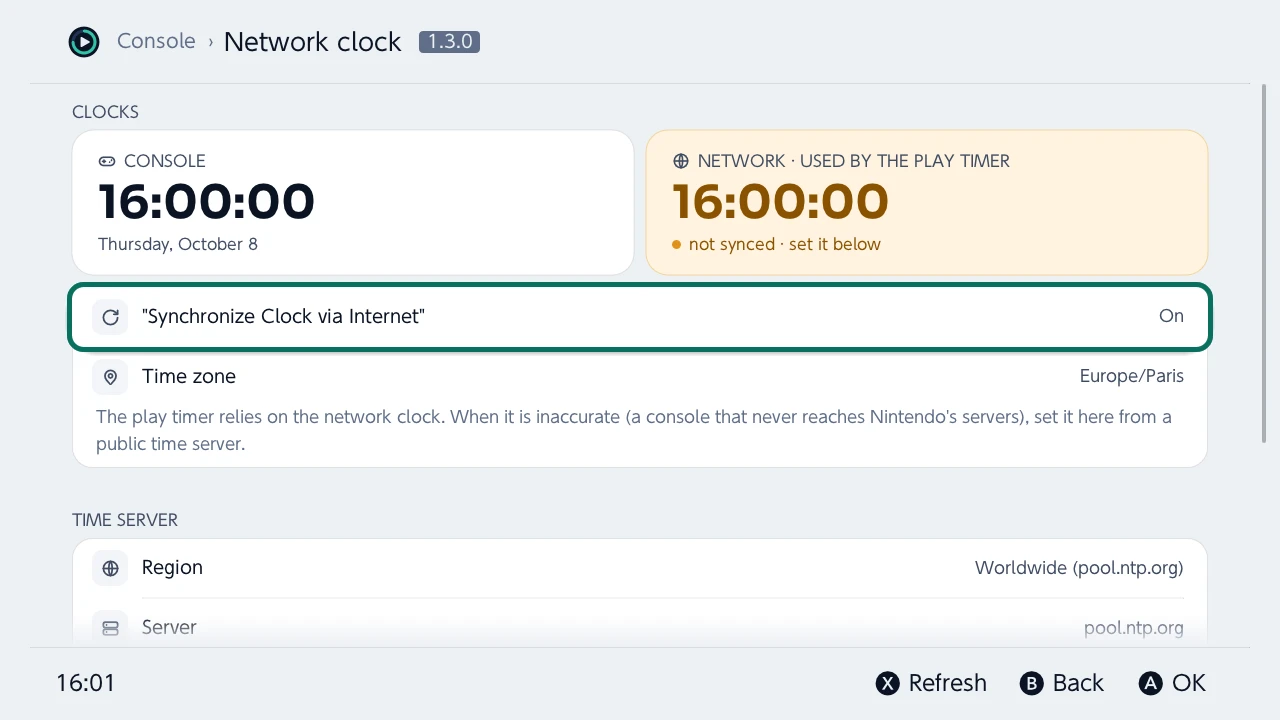
The network clock set from public time servers, so the timer counts right on a console that never reaches Nintendo, and a check of the installed games.
And also
Activity
Time per game and per account, charts, export to CSV, JSON, XLSX or PDF.
Companion app
Unlink it, even on a second-hand console.
History and backups
Every change is logged and can be undone.
Notifications
A bell gathers what needs you — an alarm off, a clock drifting, changes made elsewhere — with the fix one press away.
Every console language
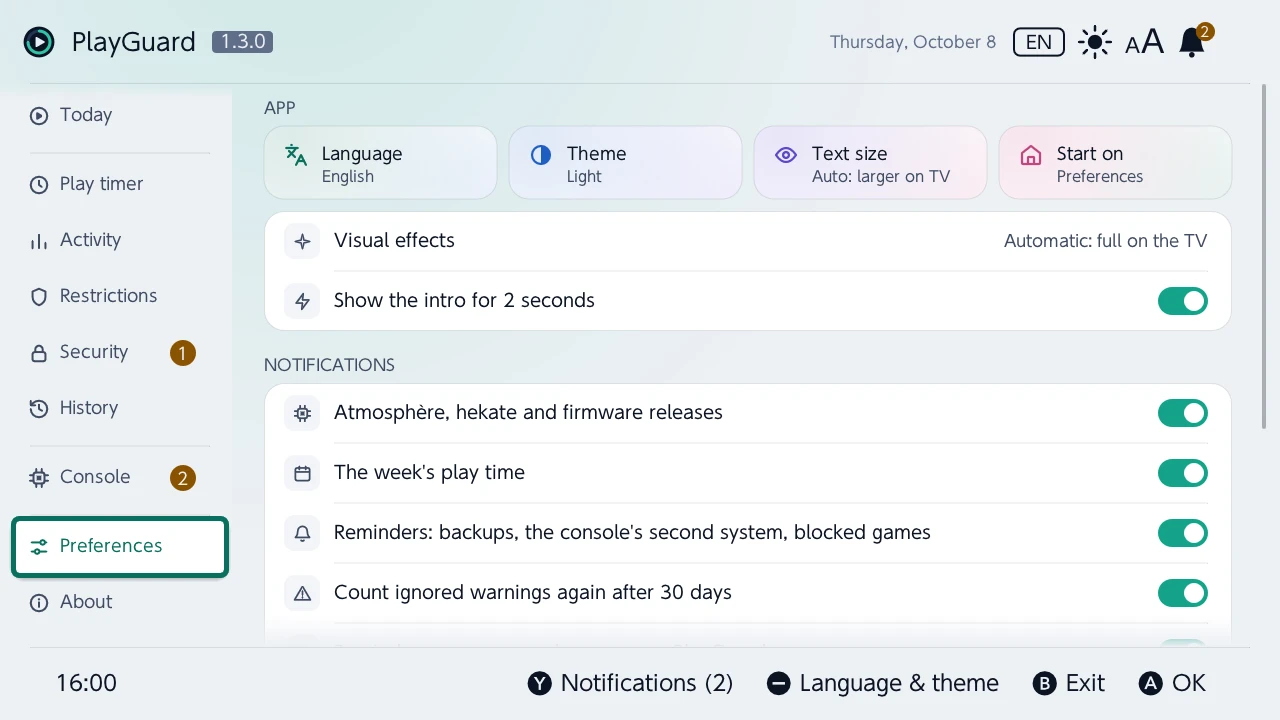
The 15 languages of the console, light and dark themes.
PlayGuard or Nintendo's app?
| PlayGuard | Nintendo's phone app | |
|---|---|---|
| No smartphone needed | Yes | No |
| No Nintendo Account | Yes | No |
| No internet connection | Yes | No |
| No custom firmware | No | Yes |
On the console
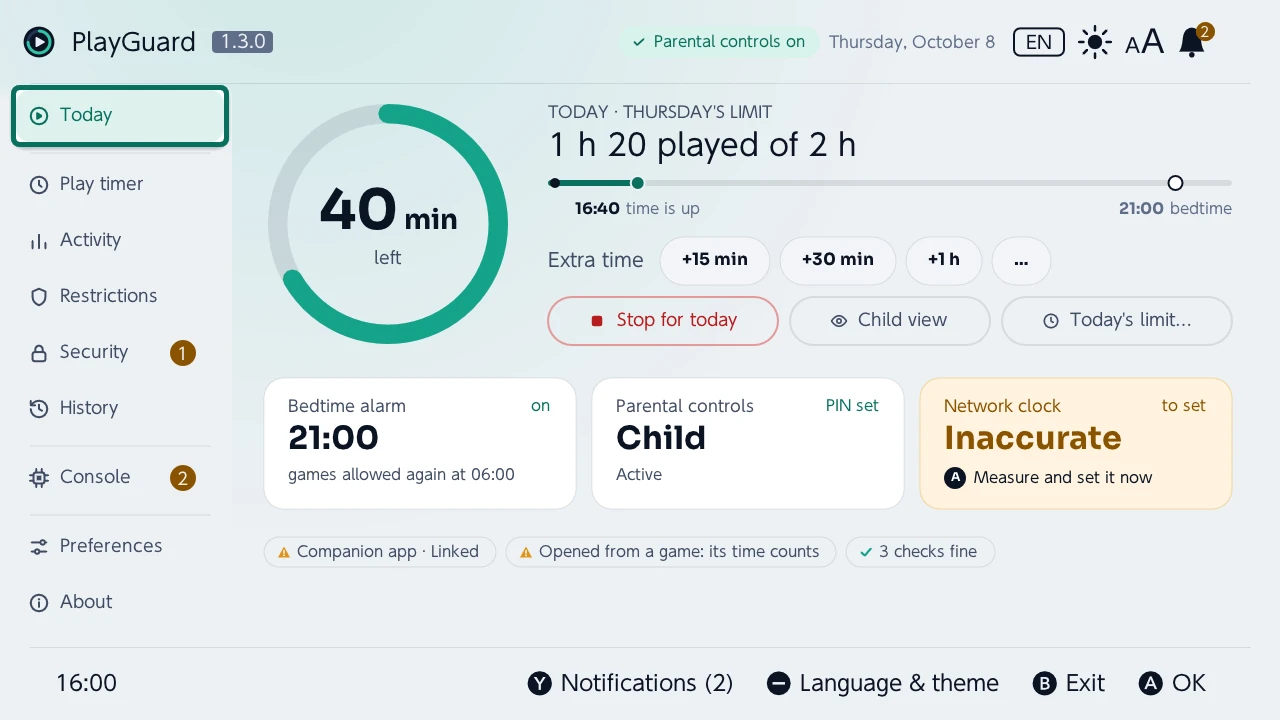
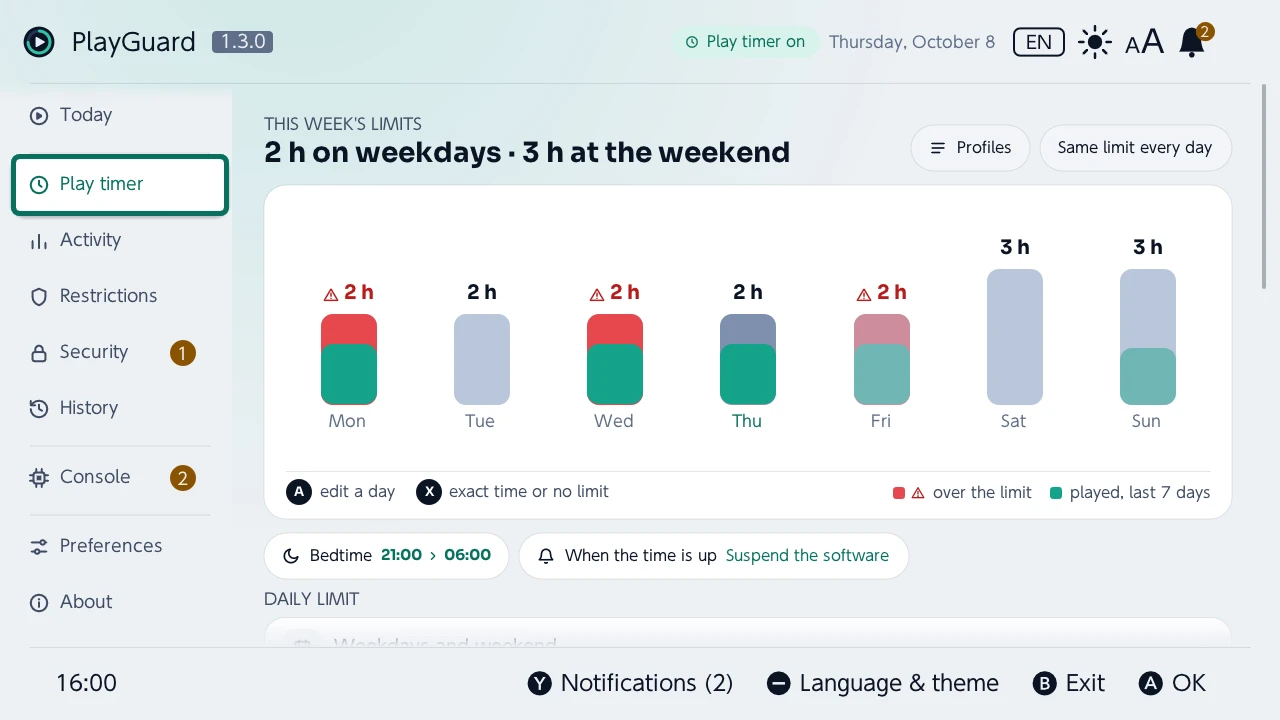
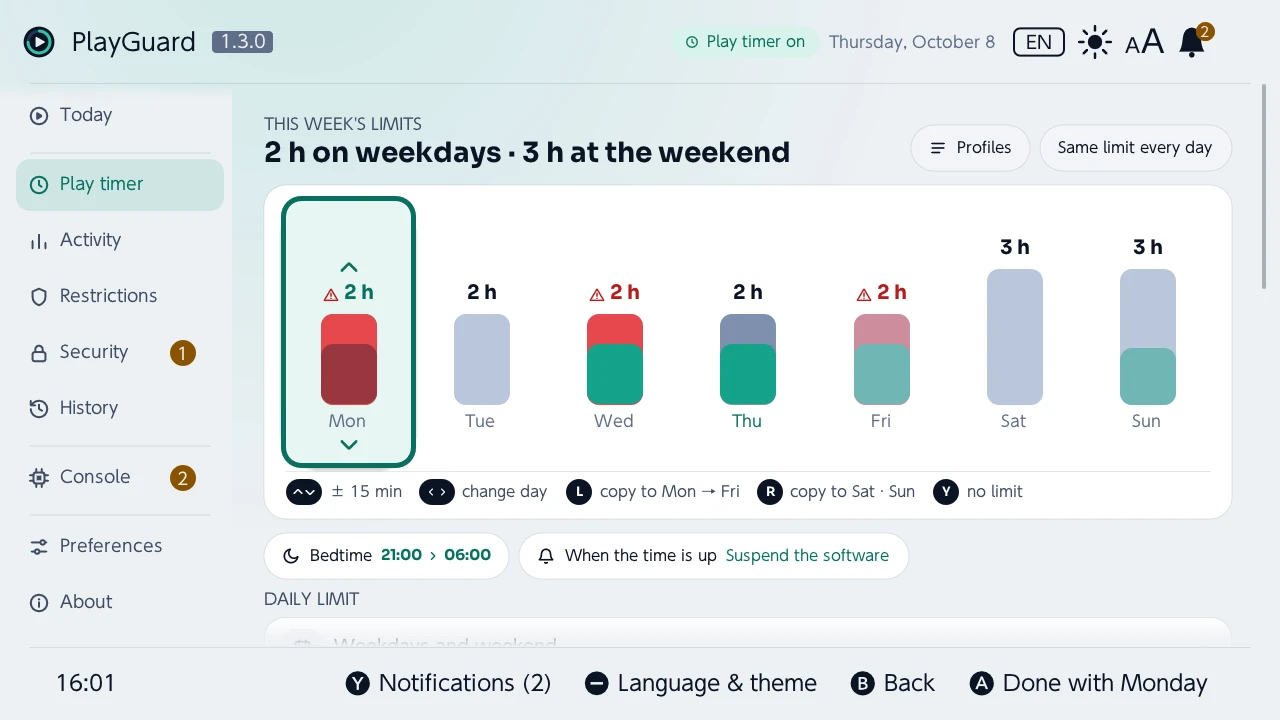
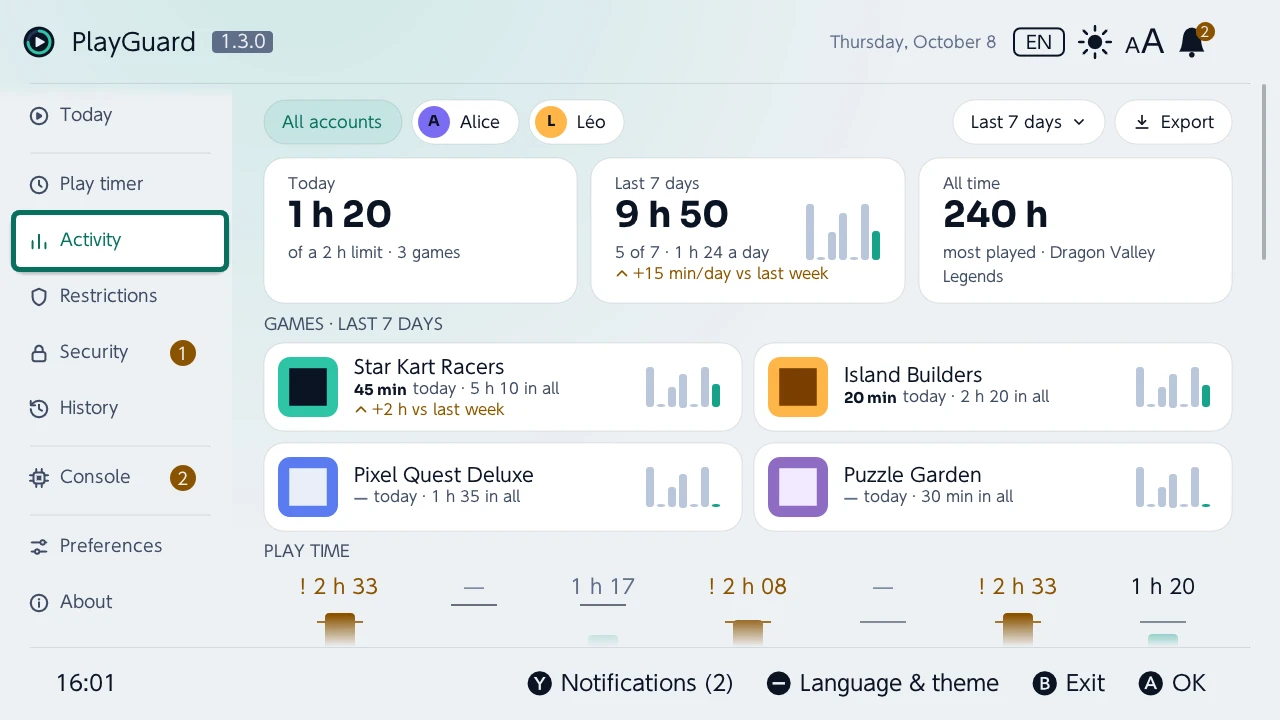
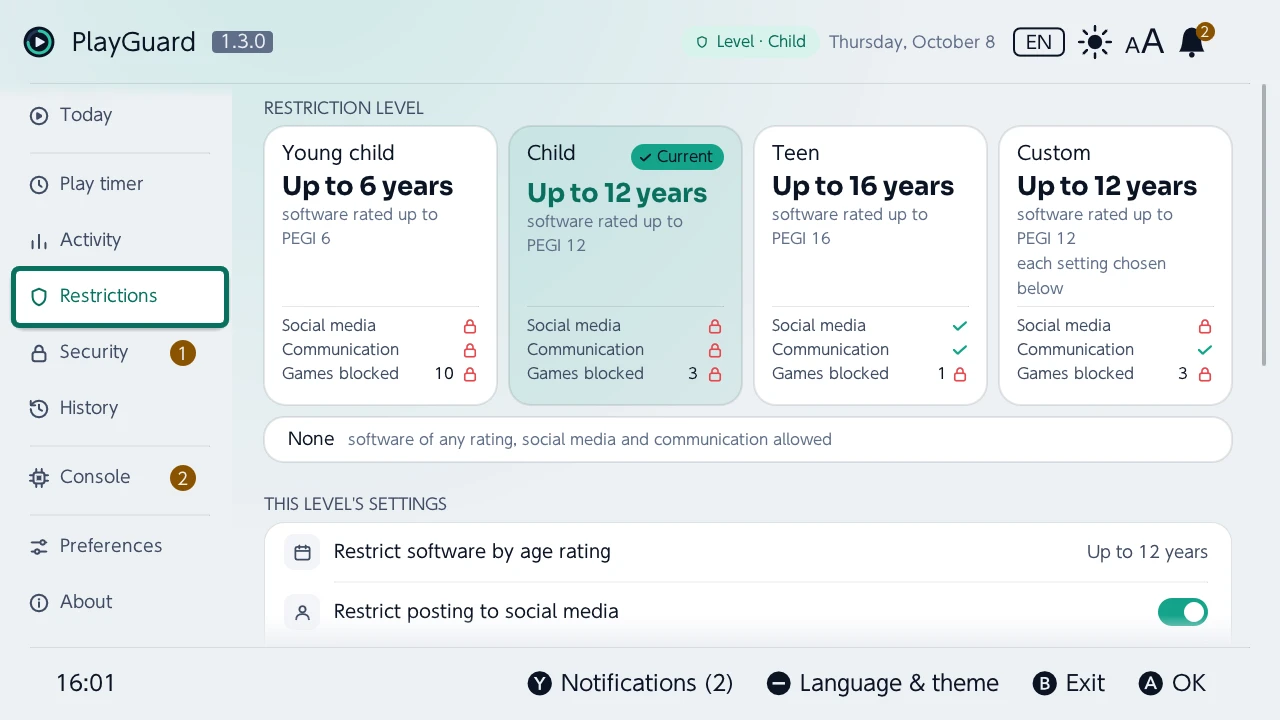
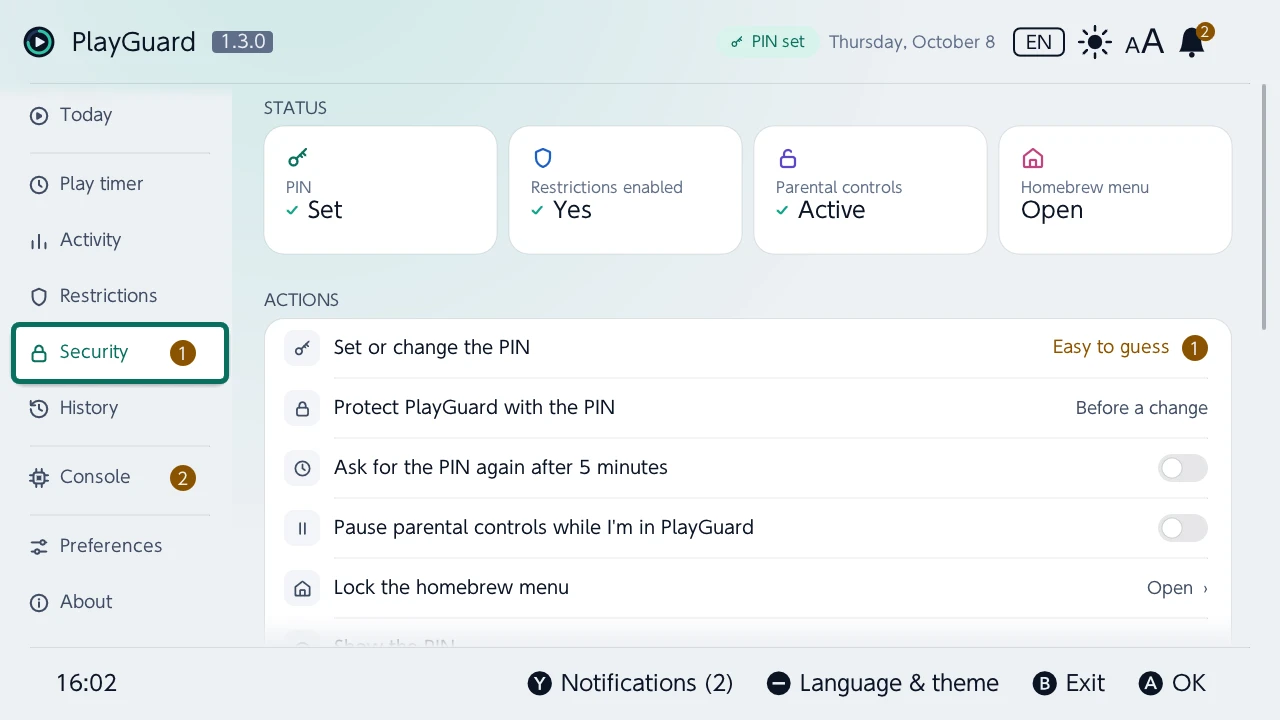
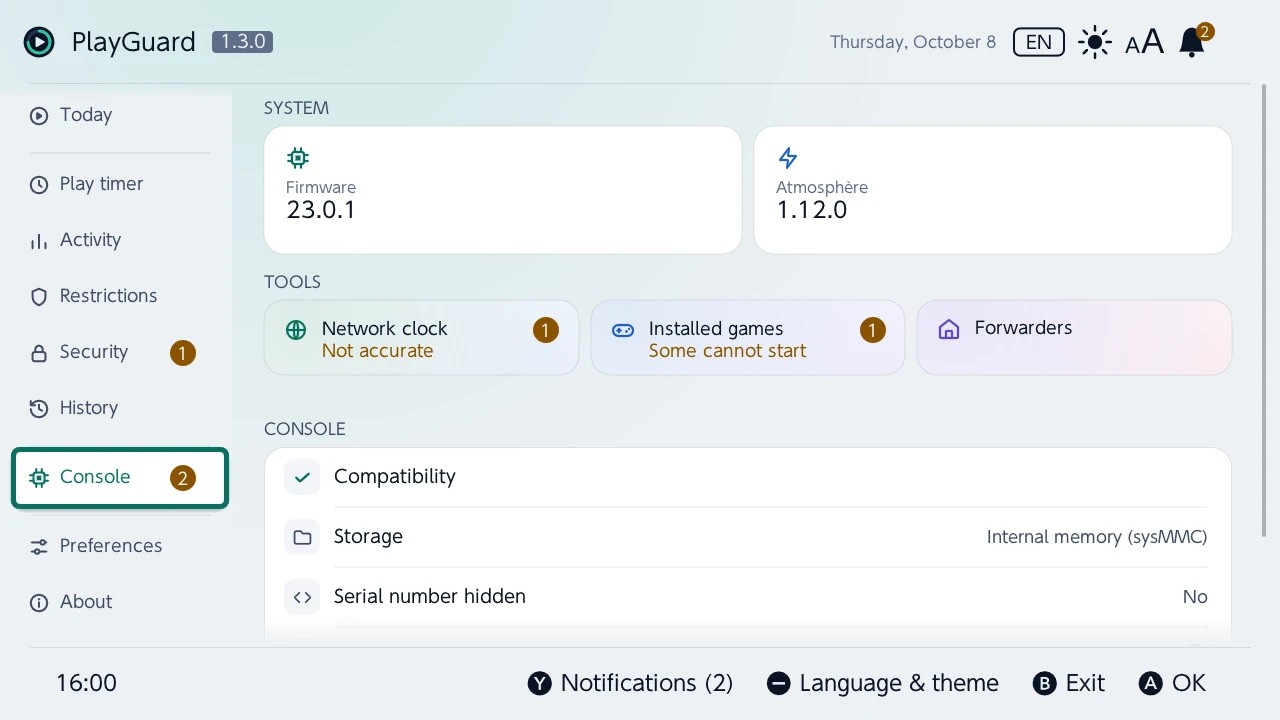
Try it before you install it
The real PlayGuard runs in your browser against a simulated console: browse every screen, try a locked or unlocked console, a limit reached, another firmware.
Install
App store
- Search for PlayGuard in the Homebrew App Store or sphaira, and install it.
- Launch it over a game, with a parent's user.
By hand (.zip)
- Extract playguard.zip from the latest release to the root of the SD card. Download v1.3.0
- Launch it over a game, with a parent's user.
Quick start
- Open PlayGuard: the “First steps” guide sets the PIN and the daily limit.
- Still linked to the phone app? “Security › Unlink the companion app”, or its next sync overwrites what you set.
- Network clock inaccurate? “Console › Network clock › Measure the time difference”, then set it.
Forgotten PIN or second-hand console? Locked out?
Compatibility
PlayGuard runs on a Nintendo Switch with Atmosphère, launched from hbmenu, sphaira or the Homebrew App Store. A firmware newer than the ones it knows opens read-only until a release supports it. There is no Switch 2 version: there is no Atmosphère for it. Supported versions
Questions
Does it keep working once PlayGuard is closed?
Yes. The limit, the PIN, the warnings and the suspension are the console's own parental controls: PlayGuard only changes their settings, and nothing of it runs in the background.
Does it need the internet, a Nintendo account or the phone app?
No. Everything is set on the console. The play timer only needs the network clock to have been set once: from public time servers, or from the console clock on a console without internet.
Can it get the console banned?
PlayGuard never contacts Nintendo: online, it only reaches public time servers and GitHub. What gets consoles banned is custom firmware going online to Nintendo. No ban tied to parental-control or clock changes is documented; that is not a guarantee.
Can each child have their own limit?
No: the console's play timer has one limit for the whole console. A replacement sysmodule can set one per user account, but it replaces the console's parental controls with its own.
PlayGuard or a replacement sysmodule?
PlayGuard sets the console's own parental controls, the ones Nintendo maintains, and runs only while you use it. A replacement sysmodule runs in the background all the time and takes their place: it can do more (a limit per child), but it is one more program that a firmware or Atmosphère update can break. Pick one, not both.
emuMMC or sysMMC?
Each has its own parental controls, and PlayGuard only sees those of the system it runs on: set them on both, or hide hekate's boot menu so that a child cannot pick the other one.
Does it work on a Switch 2?
No: there is no Atmosphère for the Switch 2.
Is it free?
Yes: free and open-source software, under the GNU GPL v3.